

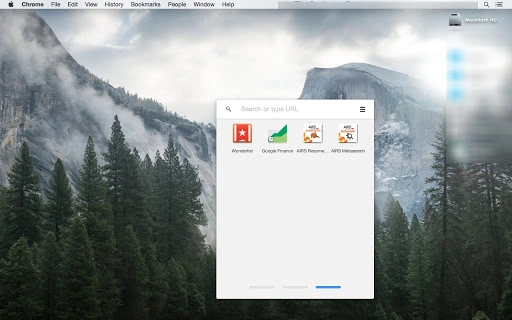
Description
AIRS Free Resume Search Tool
Overview
The AIRS Free Resume Search Tool is a desktop application designed to assist talent acquisition professionals in sourcing candidate resumes through targeted search functionalities. Built using Google Custom Search technology, it enables users to efficiently explore job boards, social media platforms, and resume-sharing sites with dedicated tabs for specific platforms. The tool aims to streamline the recruitment process by centralizing access to key sourcing channels, reducing time spent navigating multiple websites. It is particularly useful for professionals involved in internet sourcing, diversity recruiting, and recruitment fundamentals training.
Target users include recruiters, HR specialists, and talent acquisition teams seeking to enhance their sourcing capabilities. The software supports learning and practical application of recruitment training concepts taught by AIRS, a globally recognized provider in the field. Real-world usage scenarios involve identifying passive candidates, verifying credentials, and expanding talent pipelines through structured searches across LinkedIn, Indeed, and resume-sharing platforms. The tool is not intended for standalone use but as a supplementary resource within a broader recruitment strategy.
The developer, AIRS, is positioned as a leader in recruitment training with a focus on certification programs and skill development. No additional company background was provided beyond its role in talent acquisition education. The application is available at no cost, making it accessible to both individual professionals and training organizations.
Key Features & Capabilities
- Platform-specific search tabs – Dedicated tabs for LinkedIn, Indeed, and resume-sharing sites allow users to focus searches on one platform at a time, improving navigation and reducing cognitive load during sourcing sessions.
- Open search results in same window – Results from search queries appear in the same browser window, minimizing tab clutter and enabling faster access to candidate profiles without switching contexts.
- Visual feedback on links – Clicked links turn bright blue, providing immediate visual confirmation of selection and helping users track their navigation path during extended sourcing sessions.
- Integration with Google Custom Search – Leverages Google’s search infrastructure to deliver relevant results based on user queries, ensuring consistency with widely used search behavior.
- Support for recruitment training topics – Aligns with core curriculum areas such as internet sourcing, social media sourcing, and diversity recruiting, making it a practical tool for training environments.
These features collectively enhance workflow efficiency by reducing the time spent switching between platforms and improving focus during sourcing tasks. For example, a recruiter can initiate a search on LinkedIn, review results, and then switch to Indeed without leaving the application. The visual cue on clicked links helps maintain situational awareness, especially during high-volume sourcing operations.
User Interface, Workflow & Performance
The user interface is designed with simplicity and functionality in mind, featuring a clean layout with clearly labeled tabs for each search platform. Navigation is intuitive, relying on standard tab-based interaction, which reduces the learning curve for new users. The application appears to be lightweight, given its 25 MB size, suggesting minimal impact on system resources.
Workflow efficiency is enhanced through the integration of platform-specific tabs and consistent behavior across search results. Users can perform searches without leaving the application environment, streamlining the sourcing process. The visual feedback mechanism—links turning bright blue upon click—supports user orientation and helps prevent accidental navigation errors.
Performance observations are based on general software behavior patterns. The developer did not specify resource usage details. No reported stability issues were mentioned. CPU and RAM usage are not documented. The application likely runs within a browser-based framework, which may affect performance depending on the underlying system configuration.
Compatibility & System Requirements
The AIRS Free Resume Search Tool is compatible with both Windows and Mac operating systems. It is available in version 1.0 and has a file size of 25 MB. The application is designed for desktop use and does not require installation of additional software beyond standard web browser functionality.
Exact system requirements were not listed. The developer did not provide additional system specifications. Compatibility information is limited to the supported platforms. Users should ensure their system meets general requirements for running modern web applications, including a stable internet connection and a compatible browser.
Pros and Cons
Pros
- Free to use with no licensing fees
- Intuitive interface with platform-specific tabs
- Visual feedback enhances navigation accuracy
- Aligned with recruitment training curricula
- Lightweight design (25 MB)
Cons
- No detailed system requirements provided
- Performance metrics not disclosed
- Dependent on external search infrastructure (Google Custom Search)
- Limited to predefined platforms (LinkedIn, Indeed, resume-sharing sites)
- No offline functionality available
FAQ Section
Is the AIRS Free Resume Search Tool available for both Windows and Mac?
Yes, the software is compatible with both Windows and Mac operating systems.
Is the tool secure to use?
The application uses Google Custom Search technology, which operates through secure web protocols. Users should ensure their internet connection is secure when entering sensitive data.
Can I use the tool offline?
No, the tool requires an active internet connection to function, as it relies on external search services.
How often is the software updated?
Update frequency was not specified. Users are advised to check the official AIRS website for the latest version.
What type of license does the software use?
The software is distributed as free-to-use, with no licensing restrictions mentioned. It is intended for personal and professional use within recruitment training and talent acquisition workflows.
Final Thoughts + CTA
The AIRS Free Resume Search Tool delivers a focused, practical solution for recruiters and talent acquisition professionals seeking to improve their sourcing efficiency. Its clean interface, platform-specific tabs, and visual feedback mechanisms support streamlined workflows and reduce the friction of multi-platform searching. While detailed system requirements and performance data are not available, the lightweight design and compatibility with major desktop operating systems make it accessible to a broad user base.
Professionals engaged in recruitment training, particularly those studying internet sourcing, diversity recruiting, or social media sourcing, will find this tool especially valuable as a hands-on complement to their learning. Its integration with AIRS’ training curriculum adds educational context, reinforcing real-world application of key concepts.
For those in the talent acquisition space looking for a free, no-frills tool to enhance their sourcing process, this application offers a solid starting point. Download AIRS free resume search tool now.
Guides & Tutorials for AIRS Resume Search App for Chrome
How to install AIRS Resume Search App for Chrome
- Click the Preview / Download button above.
- Once redirected, accept the terms and click Install.
- Wait for the AIRS Resume Search App for Chrome download to finish on your device.
How to use AIRS Resume Search App for Chrome
This software is primarily used for its core features described above. Open the app after installation to explore its capabilities.
User Reviews for AIRS Resume Search App for Chrome 0
No reviews found





